Share Profile
Feature Detail
Description
This feature allows peer mentors to share a summary of their profile with contacts or external parties, supporting use cases such as introducing themselves before a first meeting or participating in referral and recruitment workflows. The share mechanism generates a link or exportable summary containing role, organization affiliation, and relevant public-facing details. Sensitive personal data is excluded from the shared output. This feature ties into the referral program by enabling peer mentors to share their identity as part of invite flows.
User Flow
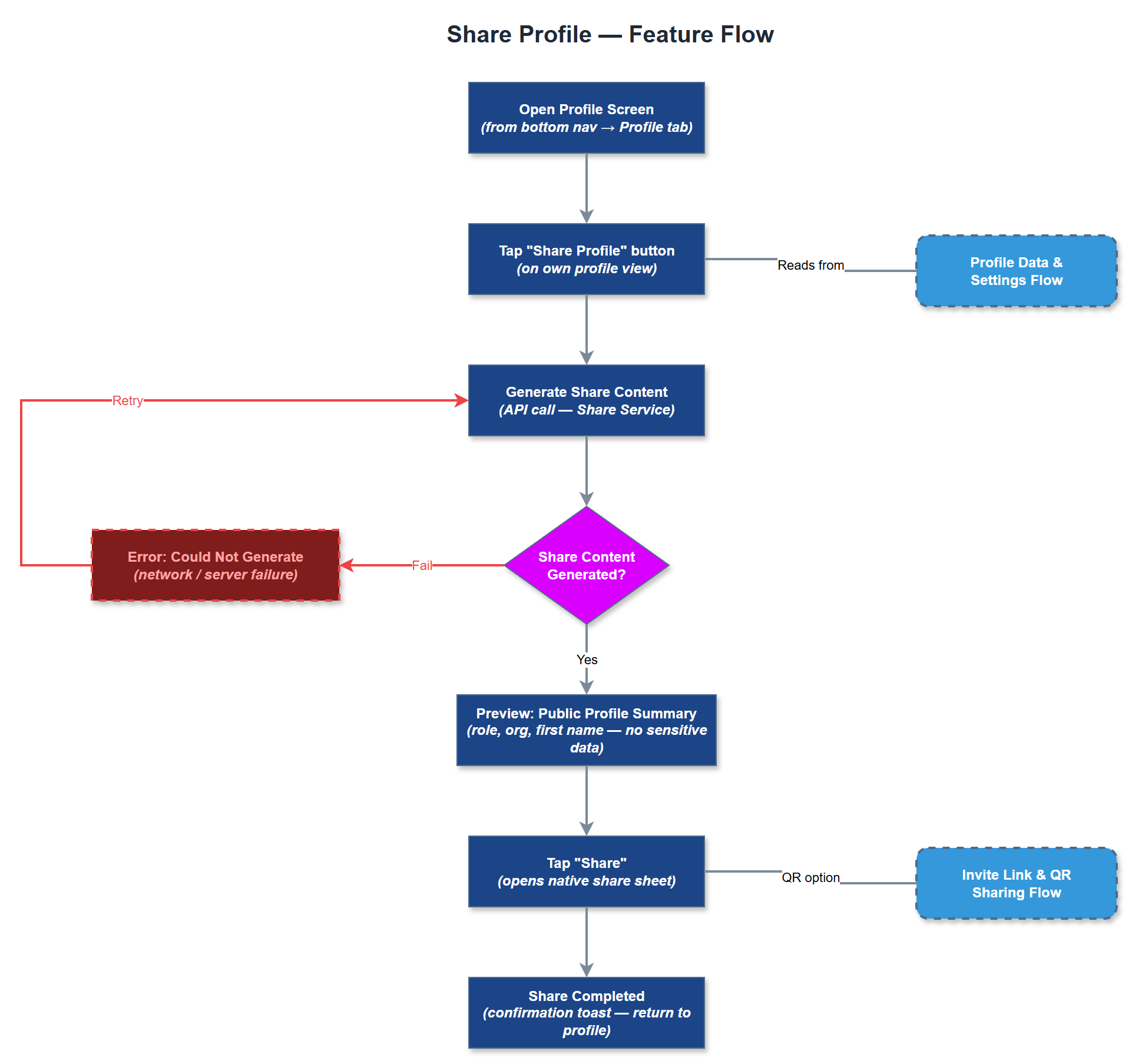
Analysis
Sharing a profile lowers the barrier for peer mentors to introduce themselves to new contacts, which is especially valuable in sensitive support contexts where trust must be established before a first meeting. For organizations like NHF and Blindeforbundet, where peer mentors may be dispatched to new contacts via encrypted assignments, a shareable profile summary provides a safe, controlled way to communicate relevant credentials without exposing sensitive data. This feature also supports the referral program by giving peer mentors a professional, branded way to recruit new volunteers, which is a key growth lever for the platform's adoption across organizations.
The Share Service generates a controlled profile summary payload, explicitly whitelisting only public-safe fields (display name, role title, organization name, optional profile photo). The share output should support both deep link (for in-app previews) and a simple text/card format for messaging apps. Use Flutter's native share sheet (share_plus package) for OS-level sharing. No sensitive fields (phone number, personal ID, address) should be included in the shared payload. The backend API endpoint for generating the shareable summary must be authenticated and tenant-scoped to prevent enumeration. QR code generation can reuse the QR Code Generator component from the referral program area.
Components (34)
Shared Components
These components are reused across multiple features
Service Layer (9)
Data Layer (12)
Infrastructure (7)
User Stories
No user stories have been generated for this feature yet.