Receipt Photo Upload
Feature Detail
Description
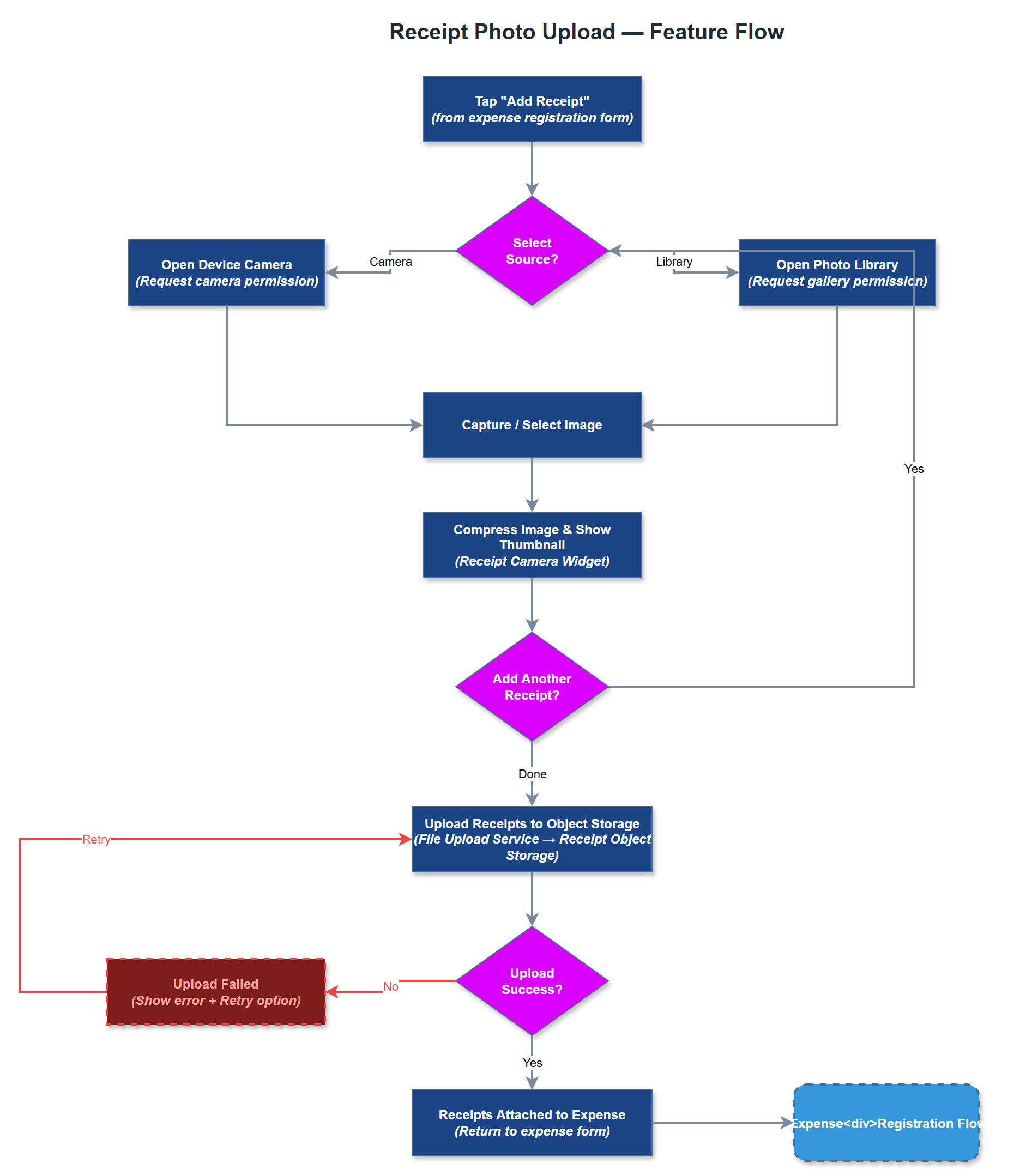
Receipt Photo Upload allows peer mentors to capture and attach photographic proof of expenditure directly within the expense registration flow. The feature invokes the device camera or photo library, compresses the selected image to a configurable maximum size, and uploads it to object storage linked to the parent expense record. Multiple receipts can be attached to a single expense, and thumbnails are shown inline for review before submission. Uploaded receipts are accessible to approvers in the admin portal.
User Flow
Analysis
Requiring physical receipt submission creates friction that delays reimbursement cycles and increases the risk of lost documentation. A mobile-first photo upload flow lets peer mentors capture receipts immediately at point of purchase, reducing the likelihood of missing documentation during monthly reconciliation. For organisations such as HLF that mandate receipts for claims above 100 NOK, this feature makes compliance straightforward and auditable. Digitised receipts also accelerate accounting system reconciliation and reduce coordinator time spent chasing paper.
The Flutter UI uses the image_picker package for camera and gallery access, with flutter_image_compress applied before upload to keep payloads under 2 MB. Files are uploaded via a multipart POST to the REST API, which streams them to an S3-compatible object storage bucket (Receipt Object Storage component). The database stores a reference URL and metadata in the expense_receipts table linked to the parent expense. Pre-signed URLs are generated server-side for secure retrieval by the admin portal. WCAG considerations include descriptive labels on the camera trigger button and confirmation feedback after a successful upload.
Components (38)
Shared Components
These components are reused across multiple features
Service Layer (9)
Data Layer (12)
Infrastructure (7)
User Stories
No user stories have been generated for this feature yet.