Organization Settings
Feature Detail
Description
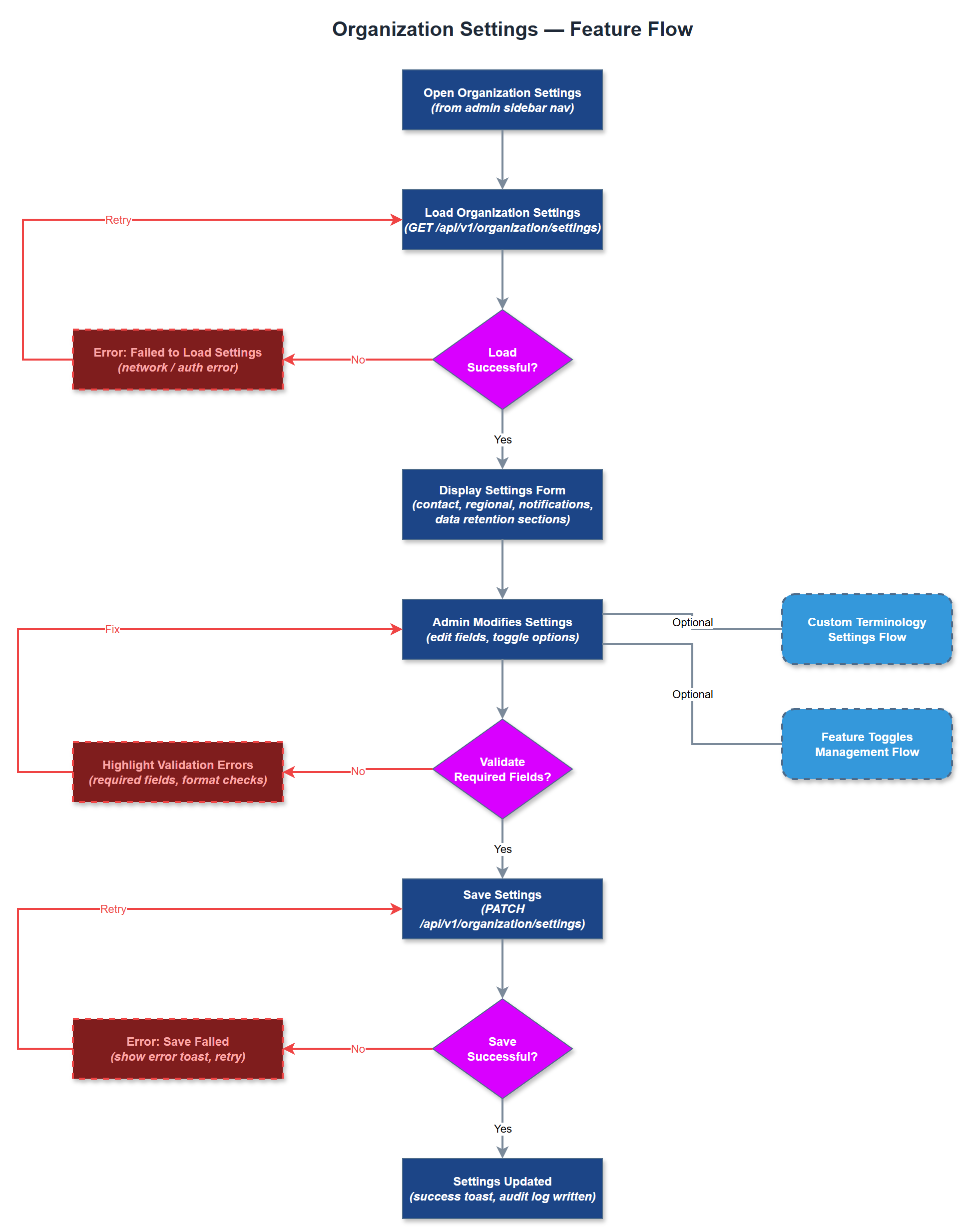
Organization Settings provides a centralized configuration interface for administrators to manage all organization-level preferences, branding, and operational parameters. Admins can configure contact details, regional settings, notification defaults, and data retention policies specific to their organization. The feature supports multi-tenant isolation, ensuring each organization's settings are completely independent and do not affect other tenants on the platform.
User Flow
Analysis
Organizations joining Meander operate under vastly different internal policies, regional regulations, and branding requirements. Without a dedicated settings layer, every customization would require developer intervention, making the platform non-scalable. This feature enables Norse Digital Products to onboard new organizations without engineering work, dramatically reducing operational overhead. It also ensures compliance by allowing organizations to configure data retention in line with their GDPR obligations. From a revenue perspective, self-serve configuration accelerates time-to-value for new customers and reduces churn by giving admins control over how the platform fits their workflows.
The settings page is a Next.js server-rendered admin portal page consuming the REST API at `/api/v1/organizations/:id/settings`. Settings are persisted in the `organization_settings` table (one-to-one with organizations). The UI uses a tabbed layout grouping settings by category (general, notifications, data, branding). All writes go through the Organization Service which validates input and emits audit log events. Multi-tenancy is enforced at the API layer via JWT org context - admins can only read and write their own organization's settings. Sensitive fields (e.g., API keys for integrations) are encrypted at rest using AES-256.
Components (36)
Shared Components
These components are reused across multiple features
Service Layer (9)
Data Layer (12)
Infrastructure (7)
User Stories
No user stories have been generated for this feature yet.