Audit Log
Feature Detail
Description
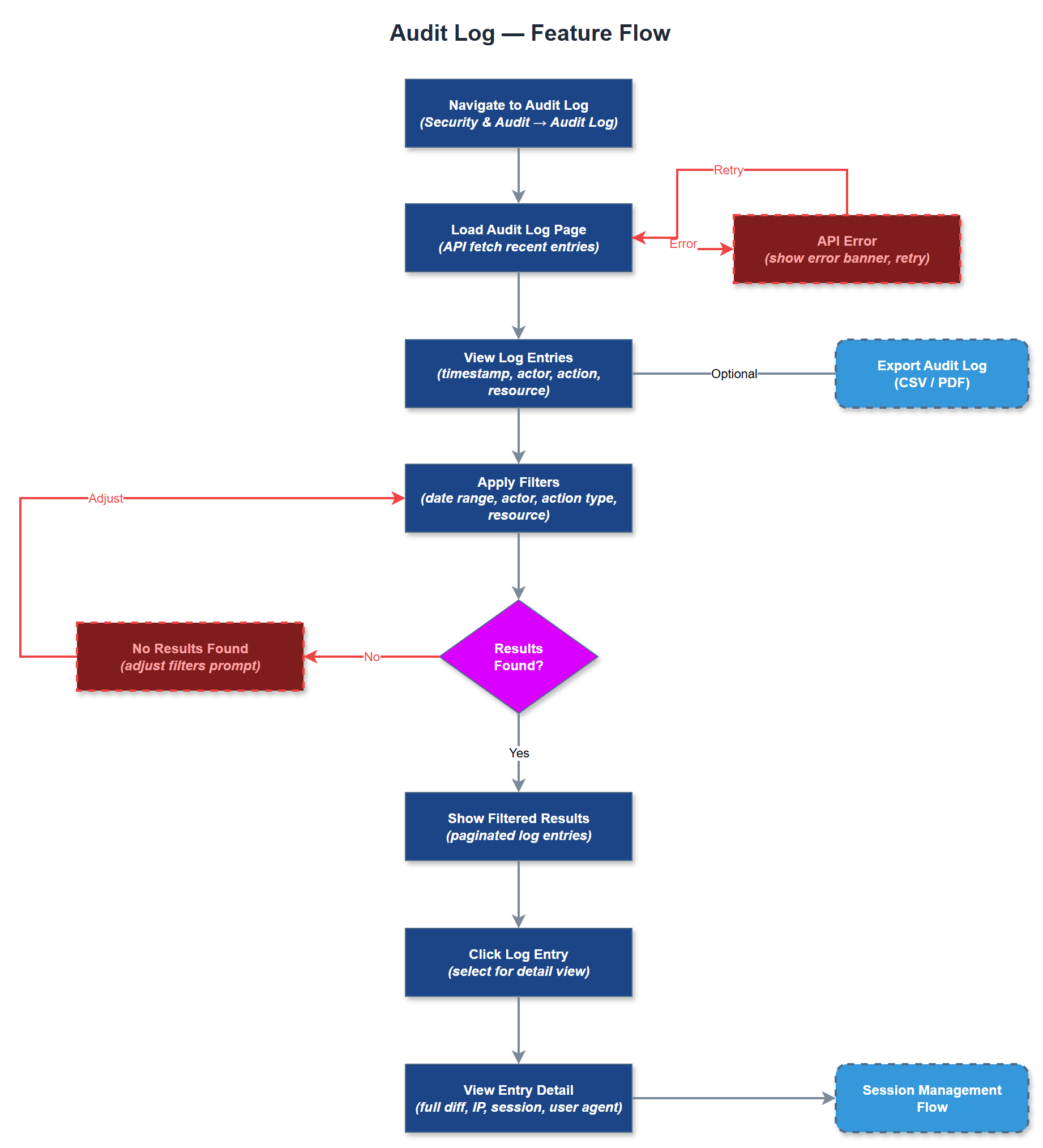
The Audit Log feature provides a comprehensive, tamper-evident record of all significant actions performed within the Meander platform, including data access, modifications, authentication events, and administrative operations. Each log entry captures who performed the action, what was changed, when it occurred, and from which context. The log is queryable and filterable, allowing administrators to investigate specific incidents, demonstrate compliance, and reconstruct event sequences during security reviews. Audit logging covers both the mobile app and the admin portal, with entries written for all sensitive operations.
User Flow
Analysis
Audit logging is a foundational compliance requirement for organizations processing sensitive personal data under GDPR and Norwegian sector-specific regulations. Blindeforbundet and NHF handle health-adjacent data and encrypted assignments that require verifiable access trails. The audit log enables organizations to respond to data subject access requests, demonstrate accountability to Bufdir and other funding bodies, and conduct internal investigations when data incidents occur. For Norse Digital Products, providing a robust audit trail reduces liability exposure and strengthens the platform's position as a compliant, enterprise-grade solution suitable for publicly funded health and welfare organizations.
Audit log entries are written to the audit_logs PostgreSQL table, which references users and organizations for tenant-scoped queries. Log writes must be non-blocking and resilient - use a fire-and-forget pattern with a dedicated write queue to avoid impacting primary operation latency. The schema captures event_type (enum), entity_type, entity_id, old_value (JSONB), new_value (JSONB), ip_address, user_agent, and created_at. The admin UI provides filterable, paginated log views with date range, user, and event type filters. Log retention policy and export functionality (CSV/JSON) should be configurable. Logs must never be deletable via the UI - only via scheduled retention jobs with admin approval.
Components (36)
Shared Components
These components are reused across multiple features
Service Layer (9)
Data Layer (12)
Infrastructure (7)
User Stories
No user stories have been generated for this feature yet.