Advantage Calculator
Feature Detail
Description
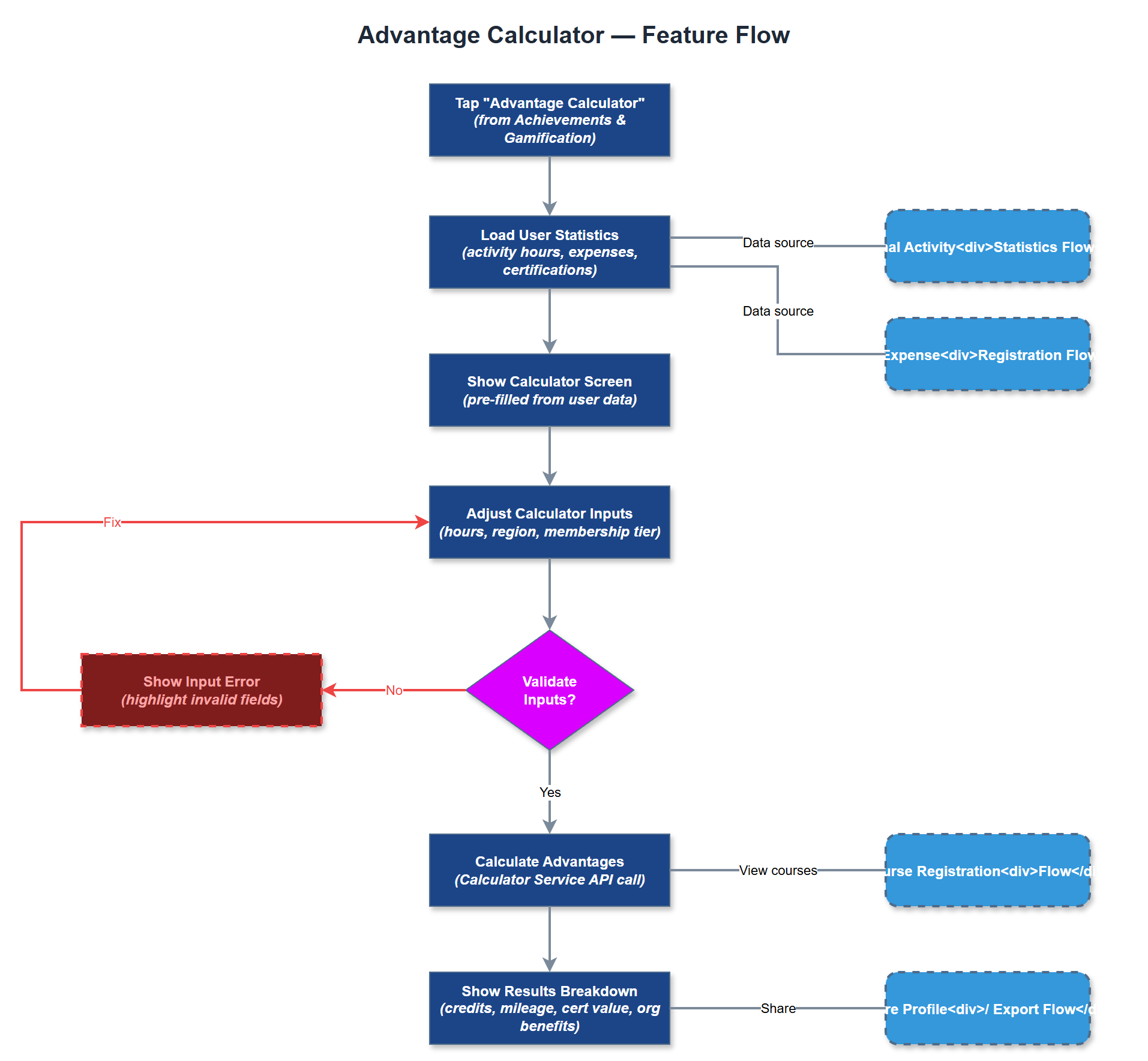
The Advantage Calculator is an interactive tool within the mobile app that helps peer mentors and coordinators understand the tangible benefits and privileges associated with being a certified peer mentor in their organization. The calculator takes inputs such as activity hours, geographic region, and membership tier, and outputs an estimate of accrued advantages such as course credits, mileage reimbursements, certification value, and organizational benefits. The goal is to make abstract membership value concrete and quantifiable, supporting recruitment conversations and reinforcing the practical benefits of active participation in the peer mentor program.
User Flow
Analysis
One of the barriers to peer mentor recruitment is that prospective volunteers underestimate the tangible benefits of participation beyond the intrinsic satisfaction of helping others. The Advantage Calculator directly addresses this by translating abstract membership into concrete financial and professional value - reimbursements received, certifications earned, and hours creditable toward career development. This tool is particularly valuable for coordinators who make the case for peer mentoring to new recruits, giving them a data-backed conversational aid. The feature also supports the product sales website value proposition, as organizations evaluating Meander can see that the platform actively supports volunteer retention through benefit visibility.
The Calculator Screen in Flutter should be a self-contained, state-driven widget that takes user inputs (hours per month, activity types, region) and computes outputs in real time without requiring a backend call for the basic calculation. Organization-specific benefit rates (mileage rates, course credit values) should be fetched from the backend and cached locally so the calculator remains functional offline. The Calculator Service on the backend should expose an endpoint for retrieving current benefit configurations per organization, allowing org admins to update rates without app releases. For accessibility, all input fields must have clear labels, numeric inputs must support keyboard entry, and results must be announced via screen reader after calculation. The feature can be embedded both in the mobile app and referenced from the product sales website as a lightweight ROI demonstrator.
Components (37)
Shared Components
These components are reused across multiple features
Service Layer (9)
Data Layer (12)
Infrastructure (7)
User Stories
No user stories have been generated for this feature yet.