Activity Feed
Feature Detail
Description
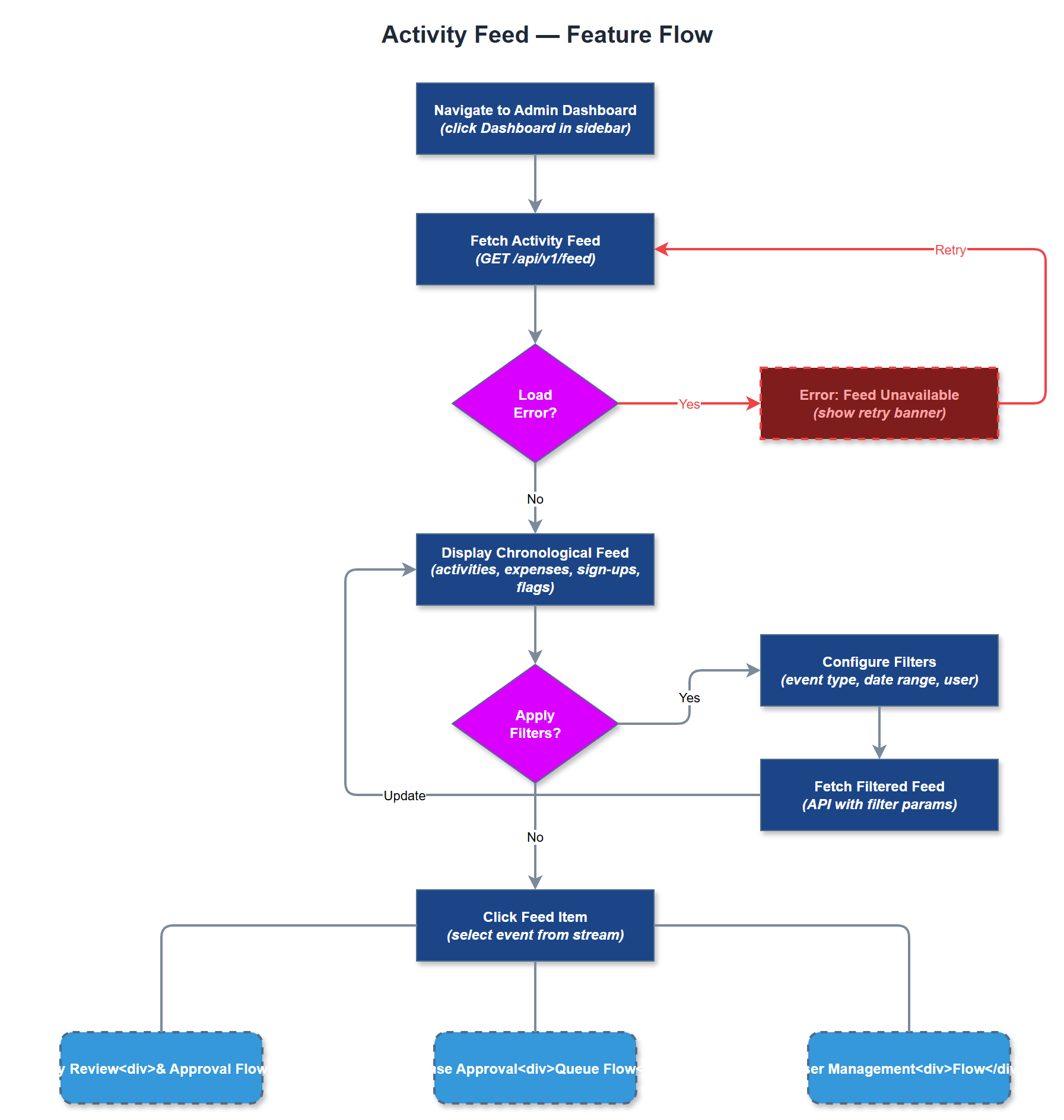
The Activity Feed feature provides a chronological, real-time stream of recent actions within the organization, giving administrators and coordinators visibility into what peer mentors and other users are doing. Events shown in the feed include newly registered activities, submitted expense claims, new event sign-ups, flagged items, and user account changes. The feed is filterable by event type, date range, and user, enabling coordinators to quickly home in on relevant updates. Each feed item links directly to the underlying record for rapid follow-up action without requiring navigation through multiple menus.
User Flow
Analysis
Coordinators managing multiple peer mentors currently have no efficient way to monitor program activity in real time, leading to delayed responses to issues and missed opportunities for timely coaching or approval. An activity feed solves this visibility problem by surfacing relevant events in a single, prioritized stream, reducing the cognitive overhead of checking multiple separate sections. For organization administrators, the feed provides a live audit trail that supports accountability and quality assurance without requiring formal report generation. The feature strengthens the value proposition of the admin portal as the operational command center for the organization and increases coordinator engagement with the platform on a daily basis.
The feed is implemented as a paginated, server-rendered list fetched from a dedicated API endpoint that aggregates events from multiple source tables including activities, expenses, event_registrations, and audit_logs, joined and ordered by created_at descending with organization-scoped filtering. A cursor-based pagination pattern is used for efficient large-dataset traversal. Feed items are normalized into a unified event schema on the server before being rendered as typed feed cards on the client. Real-time updates can be layered via polling or server-sent events in a later iteration; the initial MVP implementation uses interval-based client refresh. Filtering state is managed via URL query parameters to support shareable filtered views.
Components (36)
Shared Components
These components are reused across multiple features
Service Layer (9)
Data Layer (12)
Infrastructure (7)
User Stories
No user stories have been generated for this feature yet.